
We are excited to announce several key platform updates to enhance your Botsplash experience. These improvements focus on increasing flexibility, improving team coordination, and streamlining administrative tasks, ultimately empowering you to achieve your goals more effectively.
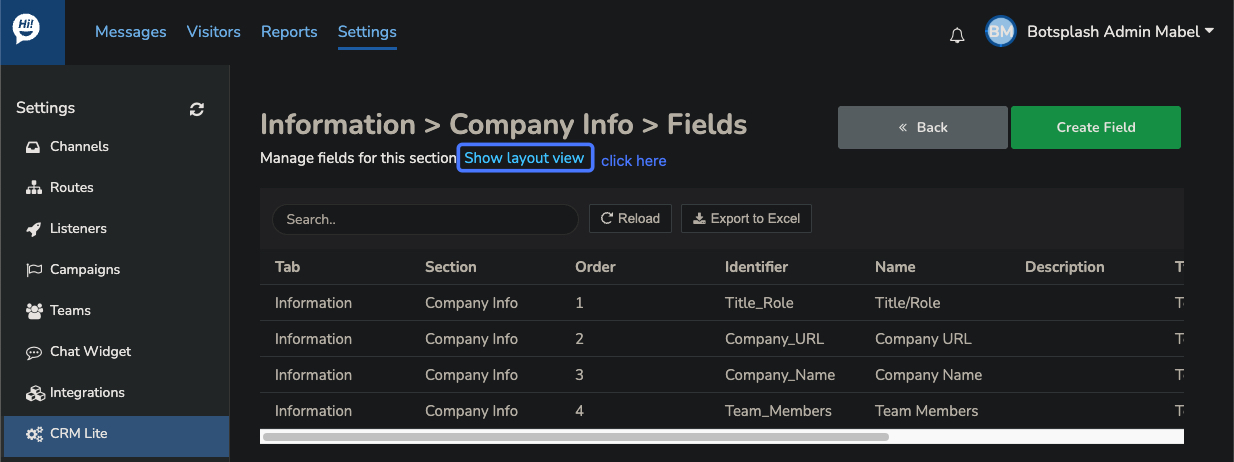
We have significantly enhanced the CRM fields configuration page to give you full control over your data view. By navigating to CRM Lite > Sections > Fields, you will find a new layout toggle that enables a drag-and-drop interface. This allows you to visually rearrange fields in the order that best fits your workflow, ensuring your most important lead data is always front and center.
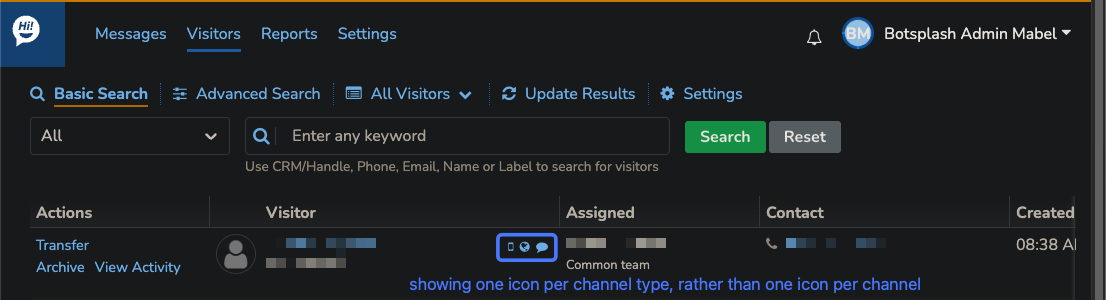
We have streamlined the visitor listing page to provide a cleaner, more efficient workspace. First, voice-only visitors are now visible in the main dashboard by default, eliminating the need for manual filtering to find those who have only contacted you via phone. Additionally, we’ve reduced visual clutter by consolidating channel icons; the dashboard now displays one icon per channel type (e.g., one icon for SMS) rather than an icon for every individual number or source. This makes it much easier for agents to scan their inbox at a glance.
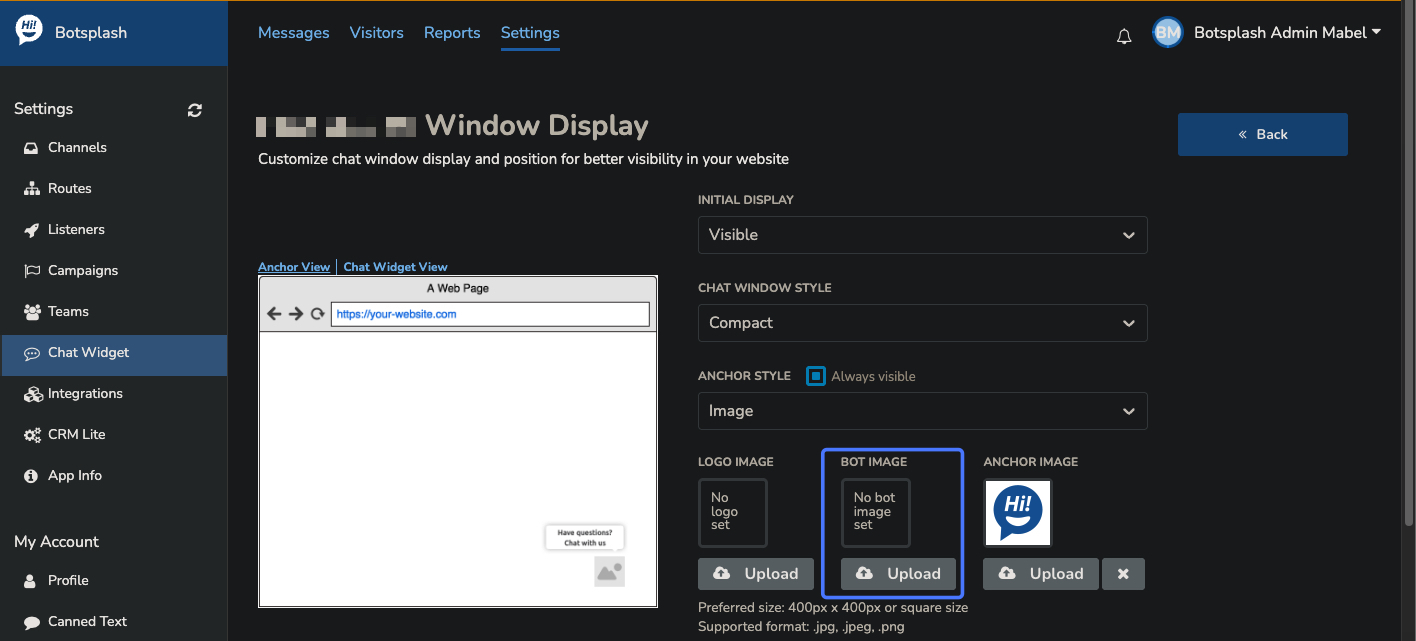
To better support multi-brand organizations, we have moved bot logo customization from the account level to the individual widget level. Previously, one logo was applied across your entire account. Now, you can upload a unique logo for each chat widget, allowing you to tailor the branding and personality of your bots to match the specific website or department they serve.
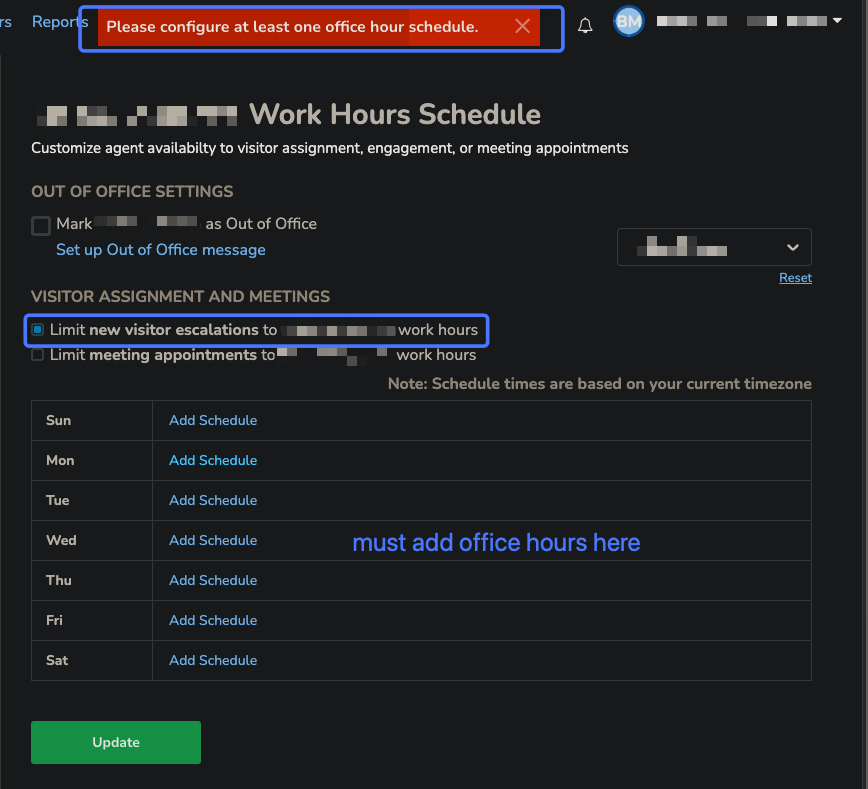
To ensure customer expectations are managed correctly, we have refined the office hours configuration process. When you enable the option to “limit new visitor escalations to my work hours,” the system will now require you to define your specific schedule. This change eliminates confusion regarding when Out-of-Office (OOO) messages are triggered, ensuring your team only receives live escalations when they are actually available to respond.
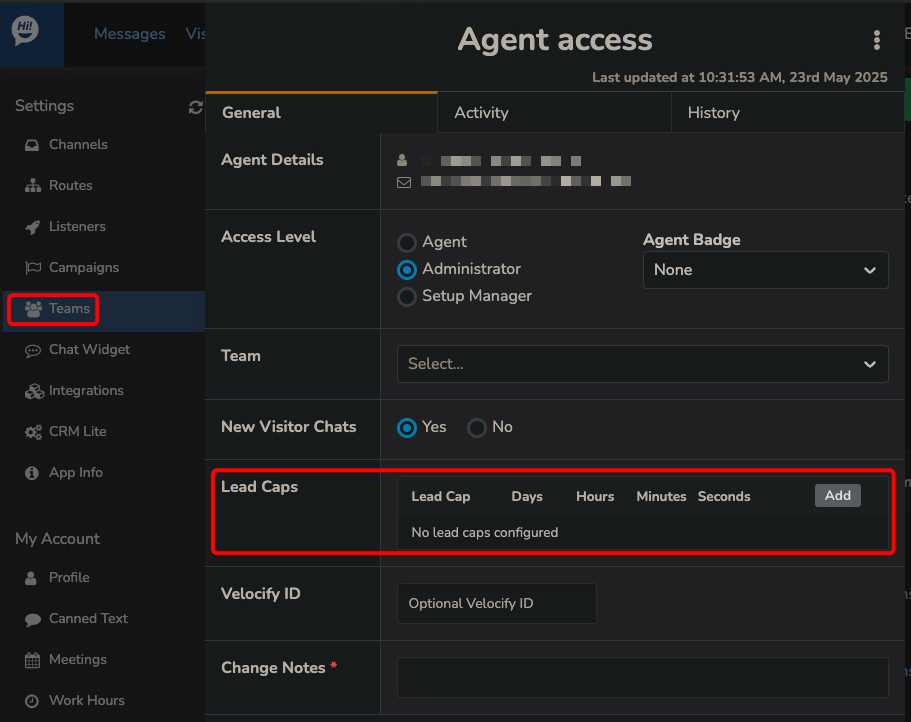
Administrators now have granular control over workload management with agent-level lead caps. While capping was previously limited to team or company-wide settings, you can now set individual limits for specific users. By selecting a user within the “Teams” section, you can define exactly how many leads an agent can receive within a specific timeframe, allowing for more personalized and fair lead distribution.
We are excited to introduce Sankey Chart visualizations to our Assistants reporting screen. These flow diagrams make it incredibly easy for admins to track the "journey" of a customer through an SMS cadence, showing exactly where visitors engage or drop off. This high-level visibility helps you quickly identify which strategies are working and which need adjustment to improve conversion rates.
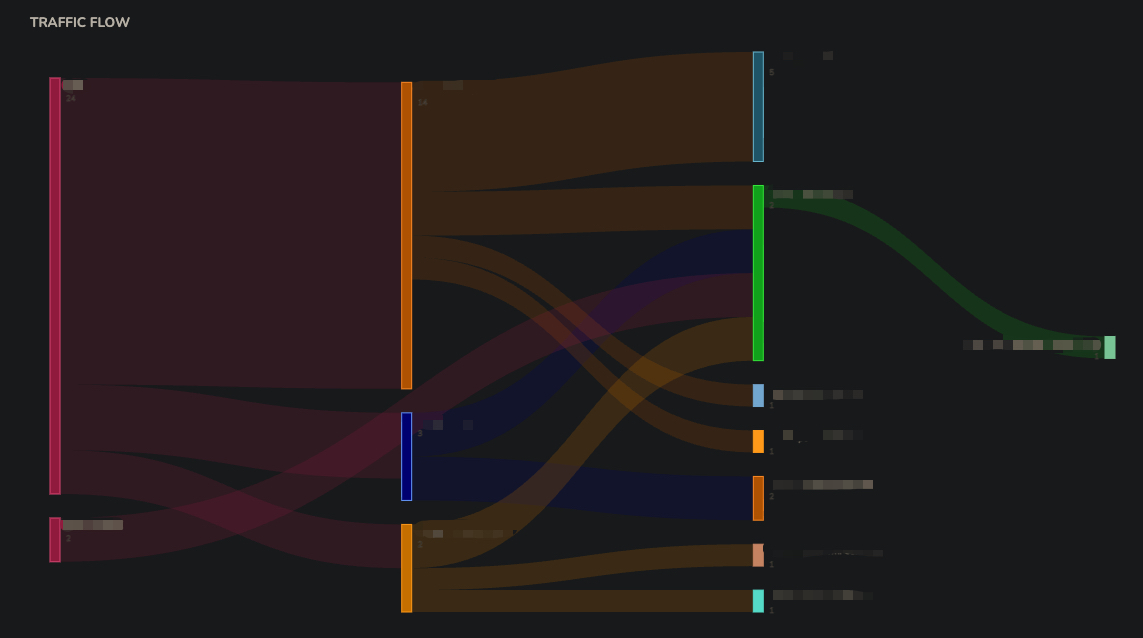
Please Note: Activating these charts requires a bit of configuration from the Botsplash Client Success team.
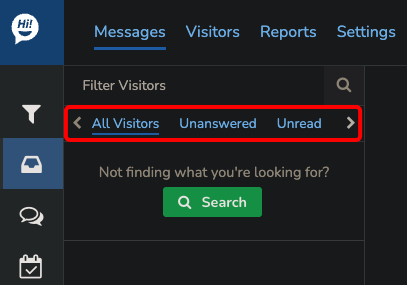
To help your team prioritize urgent tasks, we have moved the "Unanswered" tab to a more prominent position at the front of the message dashboard filters. This update ensures that messages requiring a reply are the first thing agents see, significantly increasing visibility and reducing the likelihood of missed connections or delayed responses.
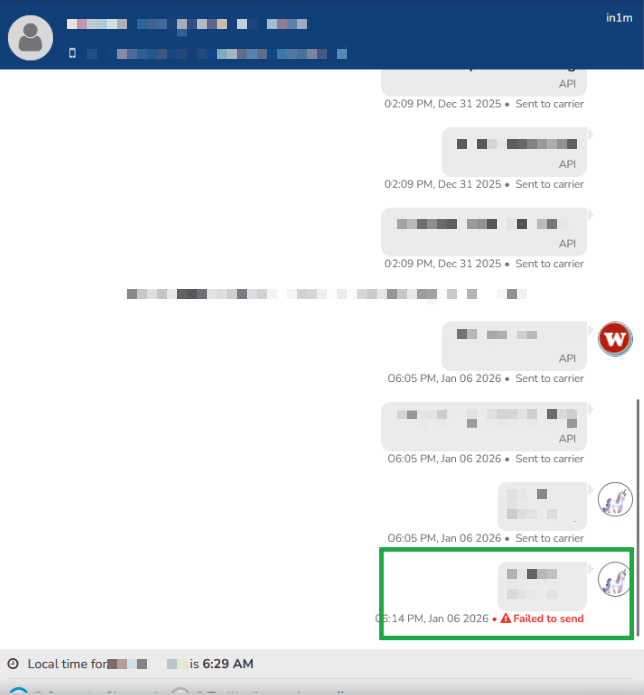
We have made undelivered message alerts much more noticeable to ensure no communication falls through the cracks. The "Failed to Send" notification now features bright red text and a high-visibility icon within the chat UI. This bold styling ensures that agents are immediately aware of delivery issues and can take steps to re-send the message or contact the lead through an alternative channel.
These updates demonstrate our ongoing commitment to enhancing the Botsplash platform and providing our users with a more efficient, personalized, and user-friendly experience. We believe these improvements will significantly streamline workflows, improve team collaboration, and ultimately drive greater success for all Botsplash users.


