Agentic CRM for enterprise teams
It decides who works each Lead, on what clock and what happens next, and it asks before AI acts. Your loan origination or agency management system stays the system of record.
Works hand in hand with Botsplash Customer Engagement for SMS, chat, voice and messaging.
The Lead, the clock and the next step
What a marketing CRM or a spreadsheet does not do for a regulated sales team.
Every Lead has one owner and one clock. Distribution follows eligibility: license, state, skill, branch and capacity. A Lead nobody accepts goes back to the queue instead of dying in an inbox.
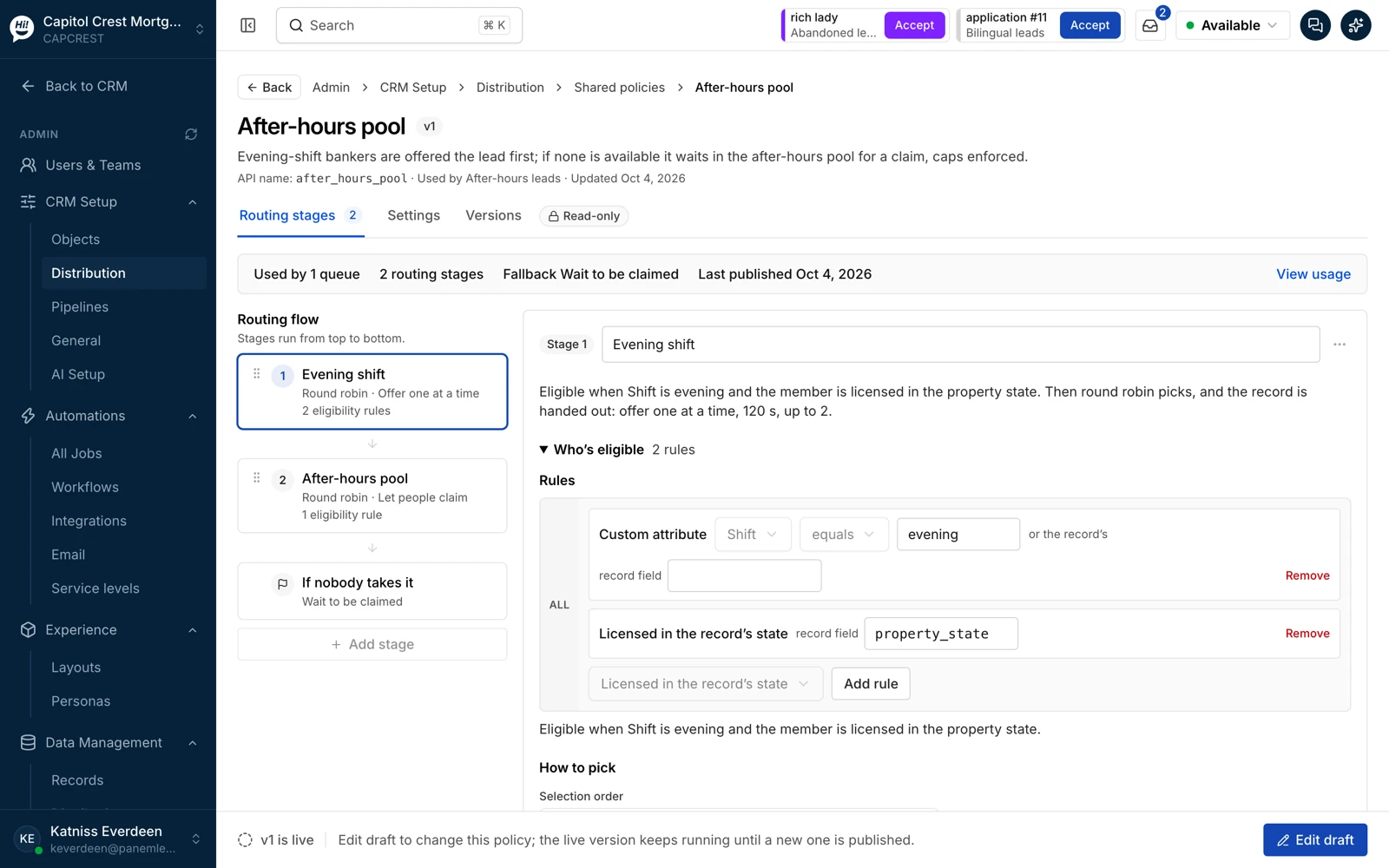
Service levels with business calendars, escalations when a clock runs out, and a manager's view of exceptions. Response time is the leading indicator you set; revenue is what you measure it against.
A Contact is the durable person. A Lead is one sales intent. An Application is a transaction in progress. A returning borrower is matched to the person you already know, a home-equity inquiry becomes a new Lead rather than a new customer, and an opt-out follows the person across every Lead.
See the model →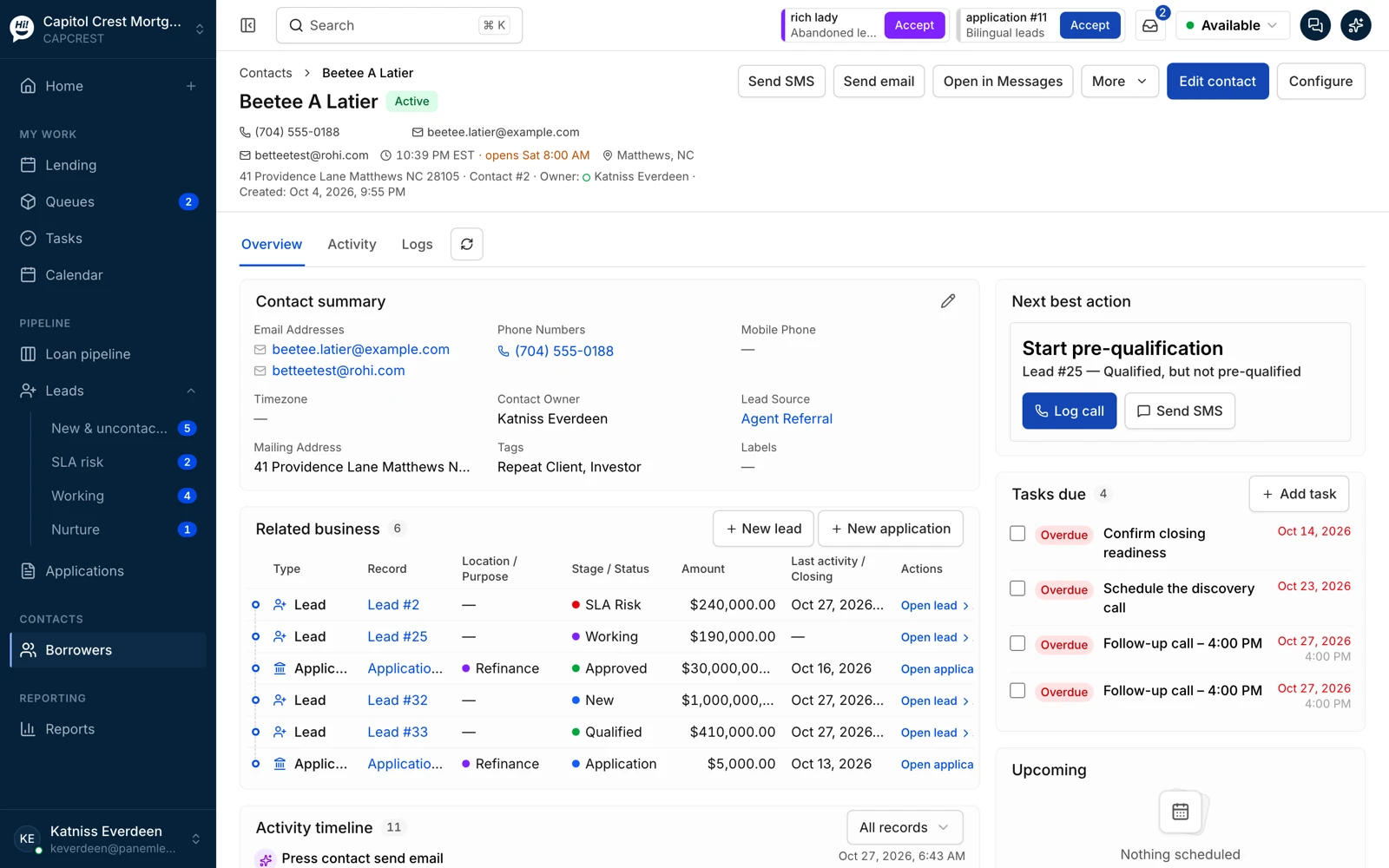
Reduce your sales tech stack expenses
Botsplash CRM brings intake, routing, follow-up, retention and AI into one platform, so lending and insurance teams pay for and maintain fewer tools.
Lead sources, routing by eligibility and a clock per source are built in, with no separate lead distribution tool.
Pipelines, tasks, workflows and reporting live on the record your team already works.
Recapture and renewal Leads come from the borrowers and policyholders you already have.
The AI assistant and operations agent work inside the CRM, not in another tool to buy and connect.
Three objects, one record of the customer
Most CRMs make every inquiry a new person, so the same borrower exists three times and the opt-out lives on one of them. Botsplash CRM keeps the person once and attaches the business to them.
- Relationship match on intake, with a possible-duplicates queue for the cases a rule cannot decide
- Assignment history and source on every Lead, so source-to-funded reporting is true
- Consent and suppression on the Contact, visible on every Lead and Application
Contact
The durable person: identities, consent, owner, history. One per human being.
Lead
One sales intent: a purchase inquiry, a refinance, a renewal, a quote request. It has an owner, a source, a clock and a stage.
Application
A transaction in progress, mirrored from the LOS, POS or AMS with its milestones and stalls. The system of record stays authoritative.
By role
The same record, three jobs. Screens are from a demo workspace with fictional people.
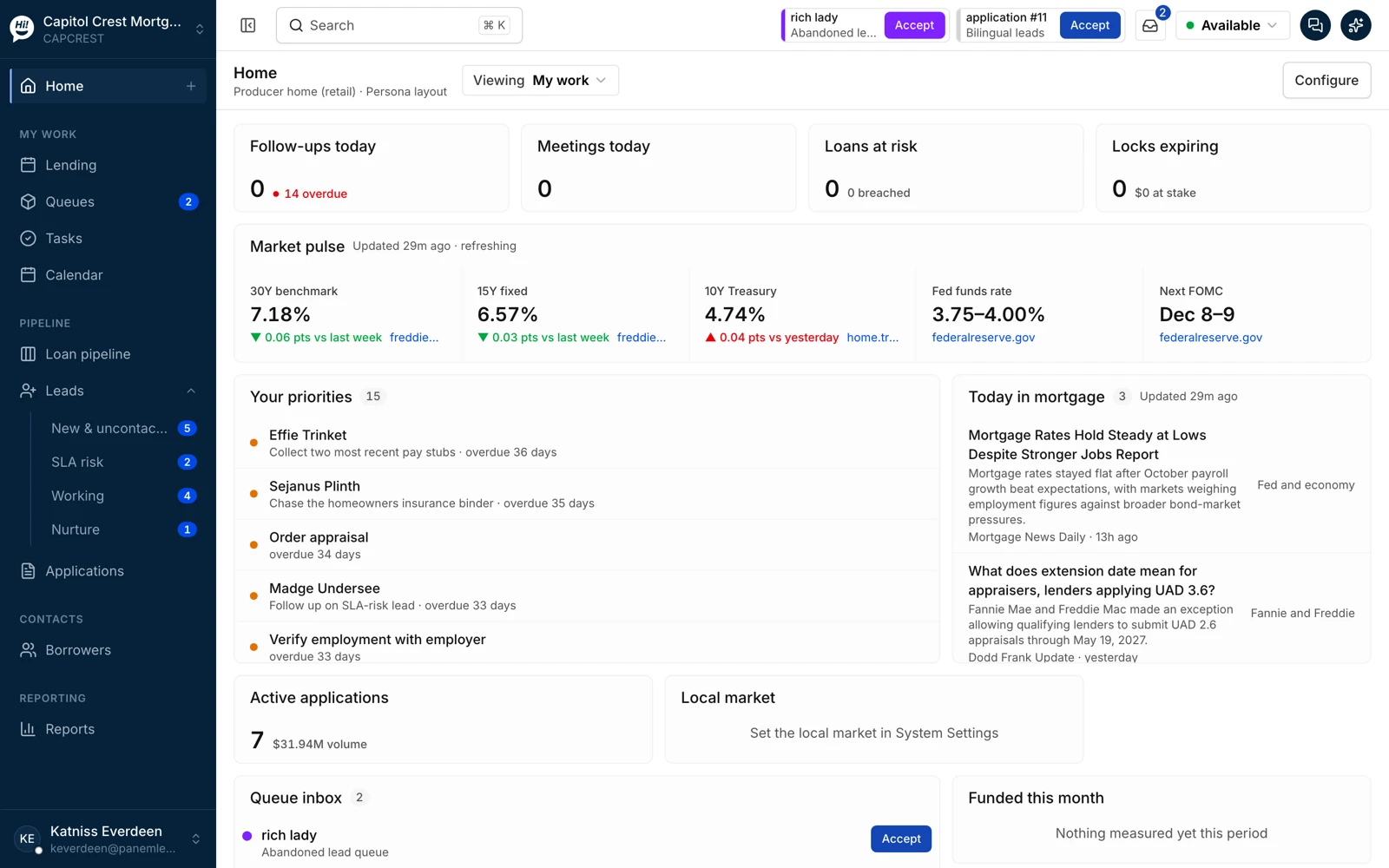
Start the day with what is waiting, at risk and first
Follow-ups due, meetings, loans at risk and the Leads whose clock is closest to running out, in one briefing. The next best action sits on every record.
- Priorities ordered by clock and stage, not by who shouted last
- Tasks and the calendar on the same screen as the pipeline
- Quick contact from the list: call, text or email from the record
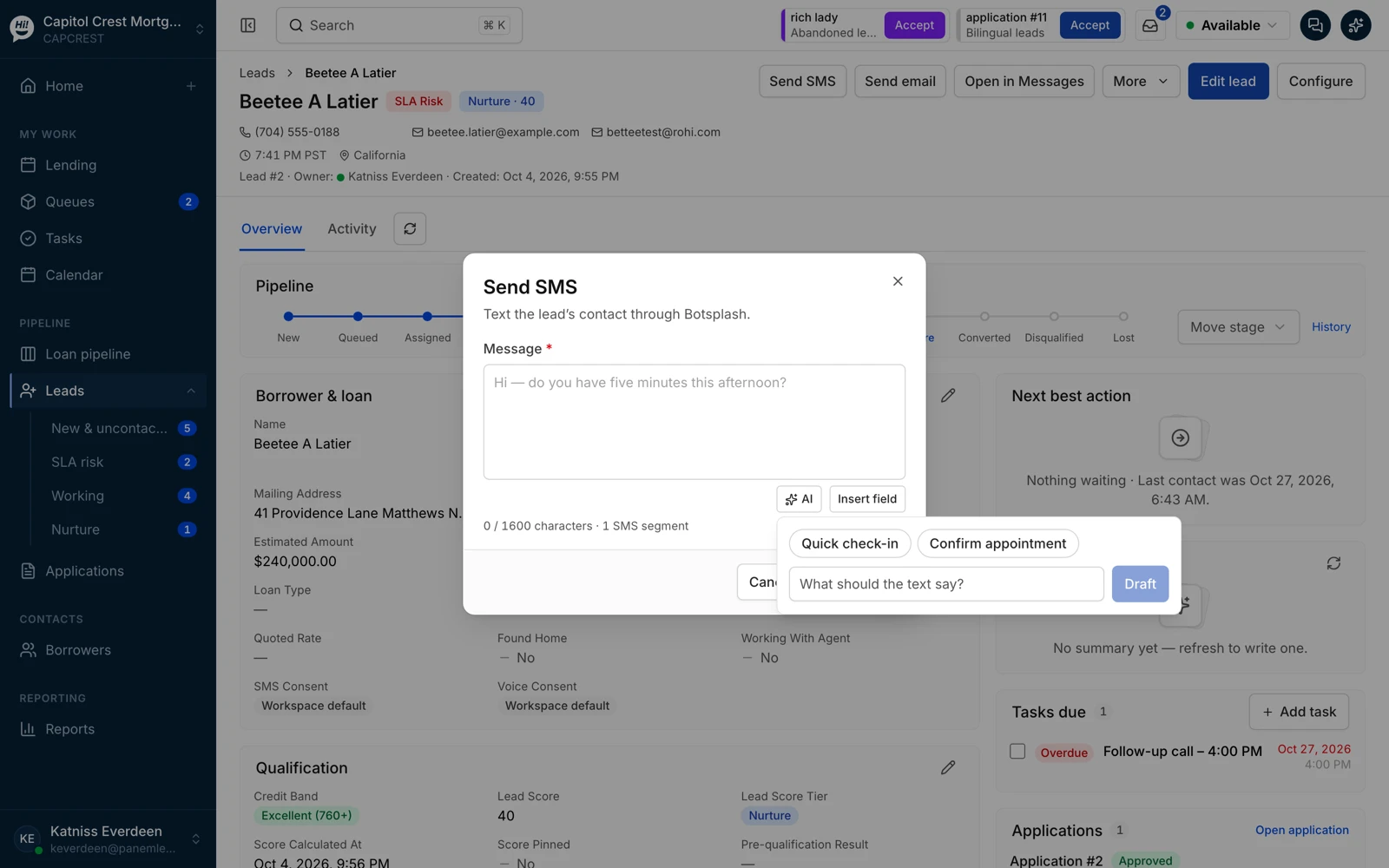
Text from the record, with a draft you edit
Messages go through Botsplash Customer Engagement and land back on the Lead. The assistant drafts a quick check-in or an appointment confirmation; the person sends it. Consent on the record decides whether the button is even there.
- SMS and voice consent visible on the Lead before anyone reaches out
- Segment count and character count as you type
- Open in Messages for the full thread across channels
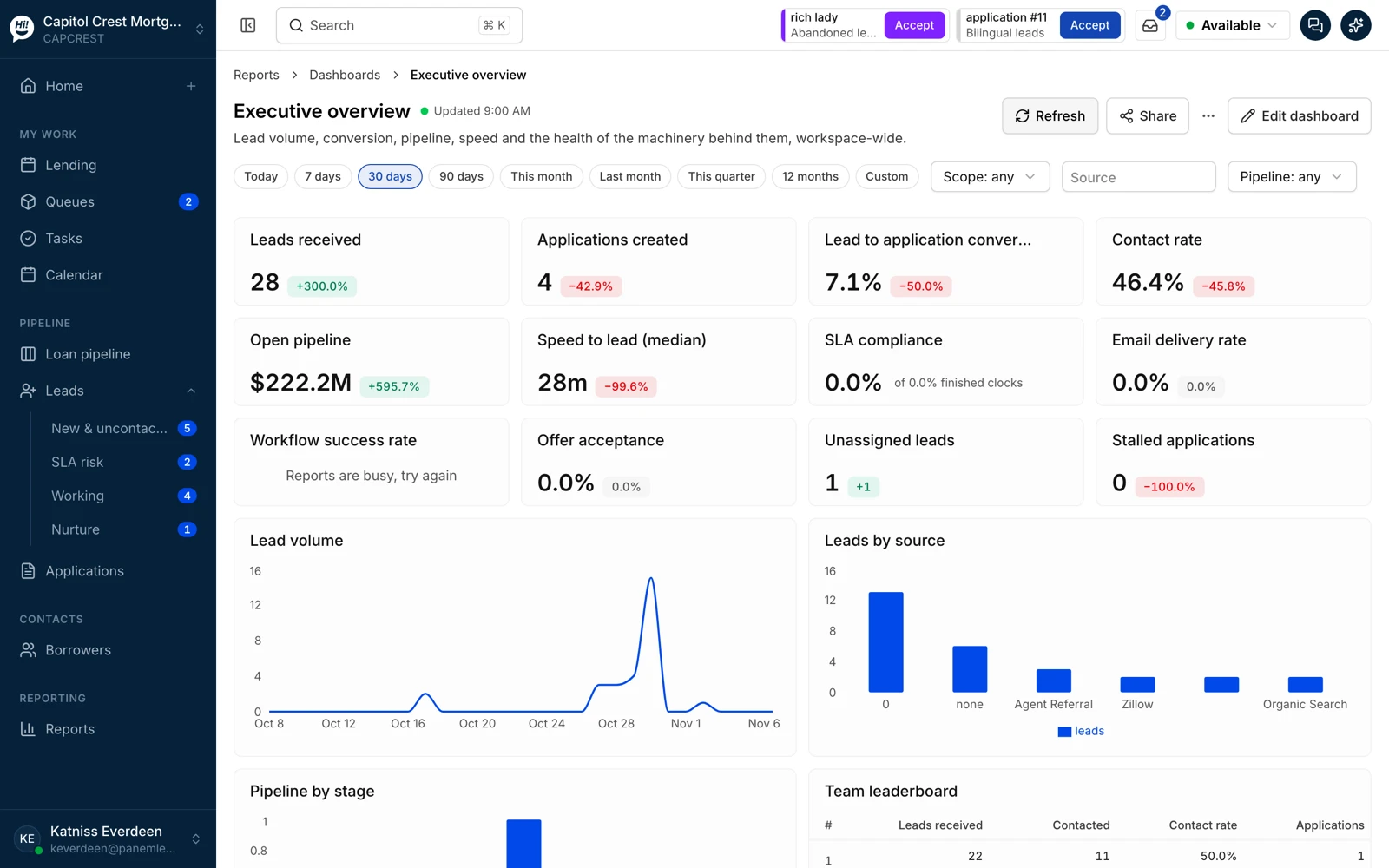
See the machinery, not just the funnel
Lead volume, conversion, pipeline, speed to lead and SLA attainment by source, owner and period, plus the health of the workflows behind them. Exceptions, unassigned Leads and stalled Applications are tiles, not a weekly export.
- Dashboards you edit, schedule and share
- Reports with run history and a CSV when finance asks
- Team leaderboard by contact rate and applications, not just dials
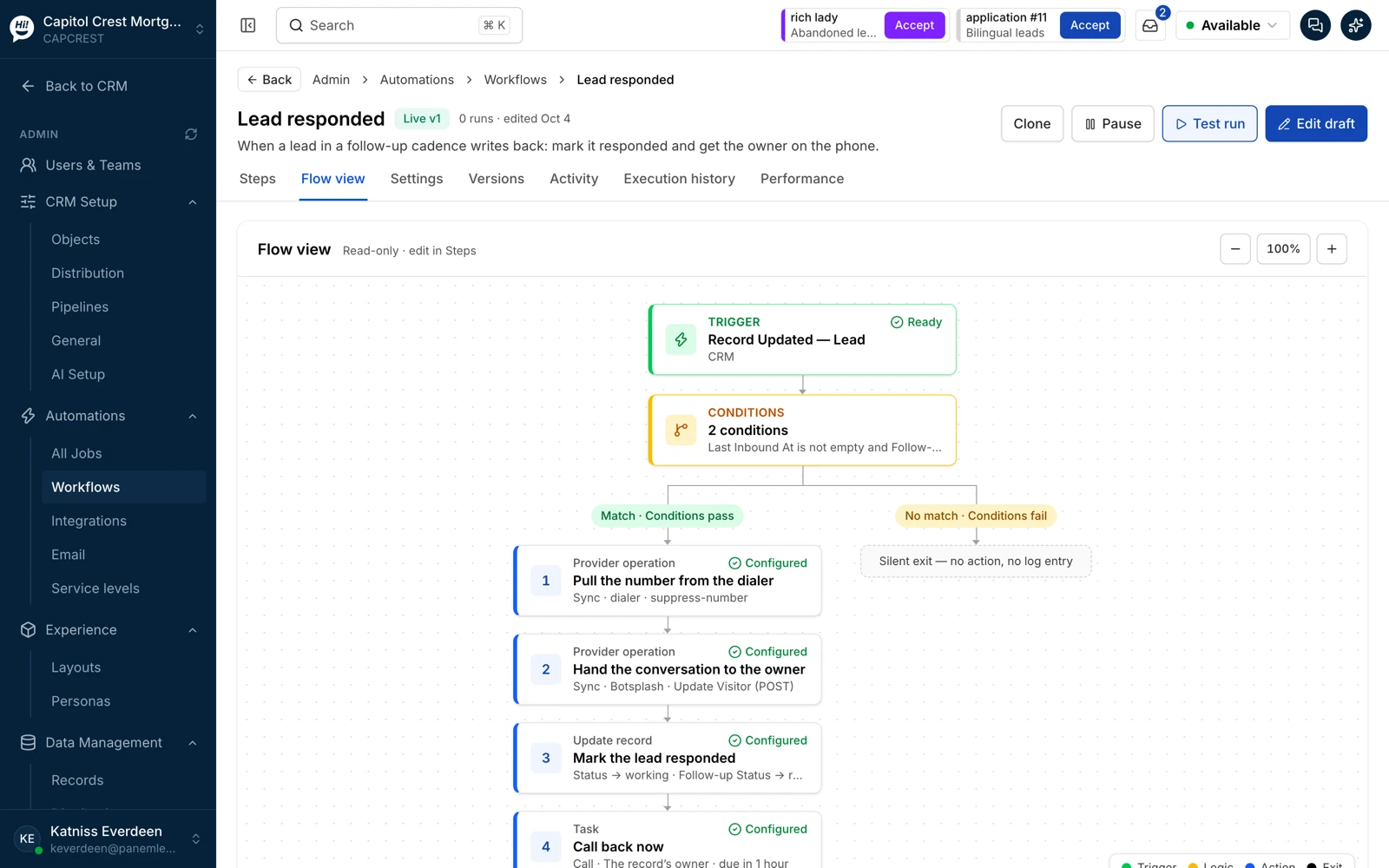
Write the rules once, read them back later
Workflows read like a flow chart: a trigger, conditions, then the branches. Where the conditions pass, the steps run in order: suppress a number in the dialer, hand the conversation to the owner, update the record, open a task. Where they fail, the workflow exits quietly. Each one is versioned and testable with sample data.
- Triggers from CRM events, integrations and schedules
- Service levels and business calendars as first-class settings
- Distribution rules by license, state, skill, branch and capacity
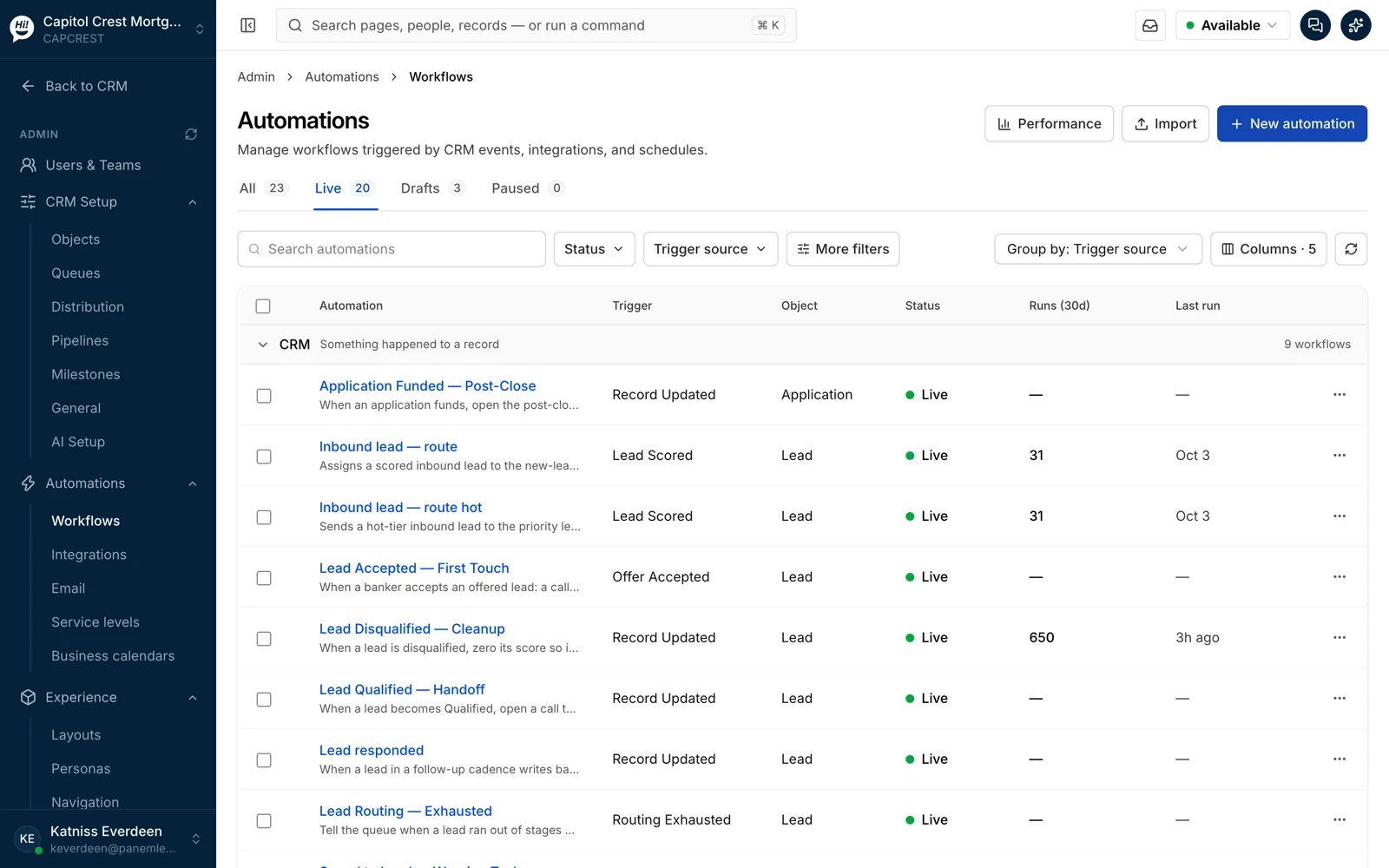
Lending workflows that come with the workspace
Inbound Lead routing by score, first touch when an offer is accepted, cleanup when a Lead is disqualified, the handoff when it qualifies, the post-close sequence when an Application funds. Start from these and change what is yours.
Walk through the screens →Customer Engagement carries the conversation
The CRM decides; Botsplash Customer Engagement talks. SMS, web chat, voice, WhatsApp, Messenger and Instagram on one record, with AI that answers and hands off to a person. One customer record, where licensed.
Answers and qualifies over chat, voice and text, then hands off.
Takes the call, answers questions, books time and routes to a person.
Scheduling inside the conversation, synced to the Lead.
Outbound calling from the record, with the number the workflow chose.
Works with the systems you already run
The CRM is the system of action; the systems of record stay where they are. Before a pilot starts, we confirm what flows, in which direction, for your setup, and we write it down.
Integration catalog →Three consent modes, one audit record
Your compliance team picks the mode per workspace, team or lead source. The CRM enforces it on every message and call, and logs each consent event, who captured it, from which source, on which channel and when, so the audit is ready when compliance asks for it.
No message or call goes out on a channel until consent for that channel is on the Contact. Campaigns and one-to-one outreach both wait.
Bulk and automated sends need consent on file; a person replying to an inquiry or following up one-to-one can proceed, inside the quiet hours and opt-outs you set.
Where consent was captured upstream, by your lead source, your point of sale or your own forms, it arrives on the Lead with its evidence and outreach can start at once. A STOP still stops everything.
Botsplash provides the platform. Your team builds the CRM.
Fix one part of the sales process or the whole thing, around how your business already works, without bending it to a pre-built CRM.
Lead sources, distribution policies, pipelines, record layouts and workflows are set up around how your teams sell, and your admins change them as the business changes.
A built-in MCP server and AI agent for running CRM operations, so the AI tools your team approves work against the same records, roles and audit record as everyone else.
Your organization runs in its own isolated CRM instance that Botsplash manages, with a workspace inside it for each branch, team or business unit.
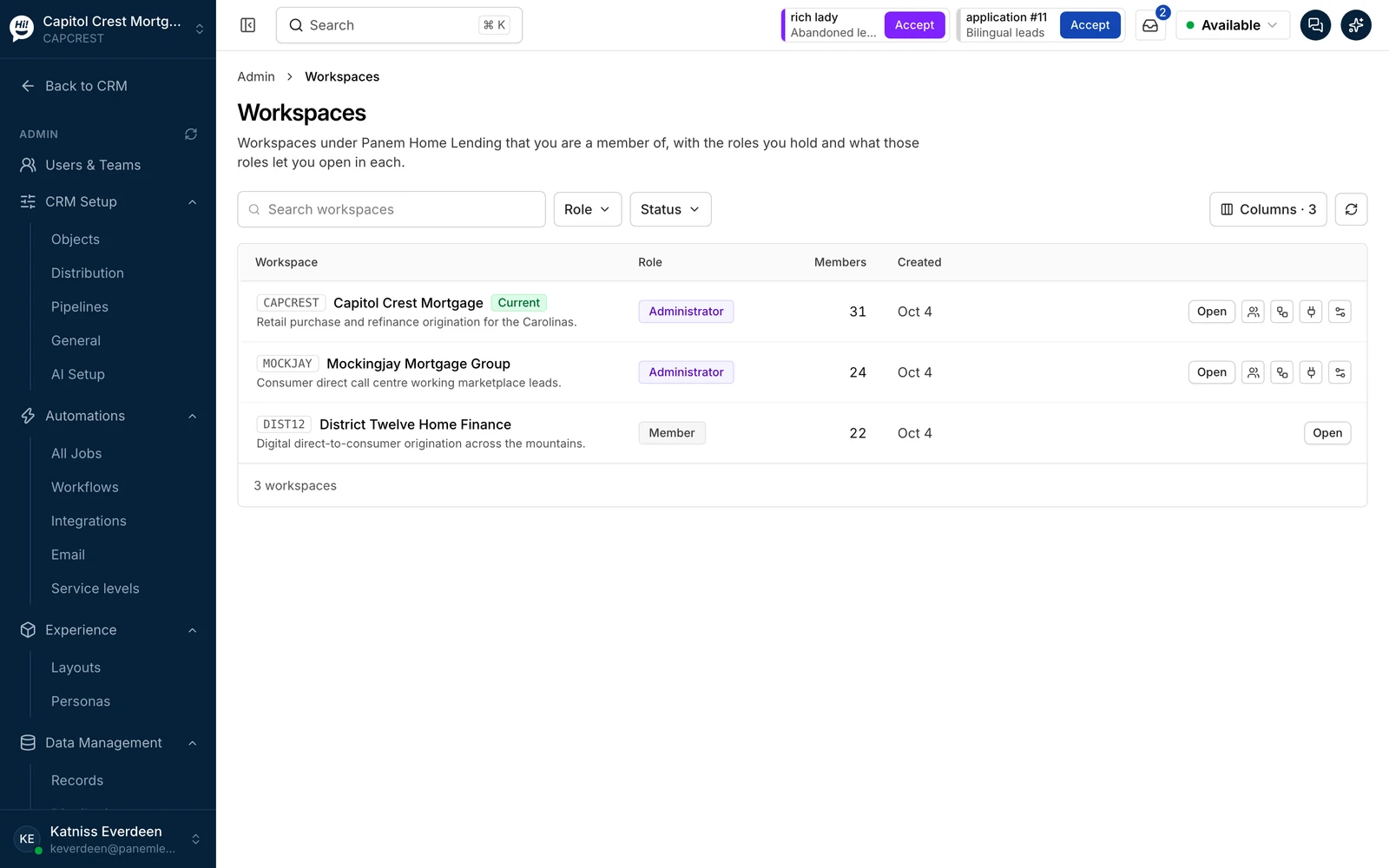
One client account, a workspace per branch or department
Retail branches, a consumer-direct desk, a servicing team or an insurance unit each run as their own workspace under one client account. A workspace has its own queues, distribution policies, pipelines, layouts and tenant storage; people sign in once and see the workspaces their roles allow.
- Shared login and identity: one sign-in, roles per workspace, single sign-on through your identity provider
- Policies and preferences set once at the account level and inherited, or overridden where a branch works differently
- Tenant isolation per workspace: records, files and reports stay inside their workspace, and cross-workspace access is a role you grant
- One security posture across all of them: the same audit record, consent controls and access reviews
Your compliance team sets the rules. The CRM keeps the record.
No software setting makes a business compliant. These are the tools your rules run on.
SMS and voice consent captured per channel with its source and timestamp, visible on the Lead before anyone reaches out, with every consent event logged for your compliance team to audit.
A STOP lands on the Contact and every Lead on it, and the dialer suppression is a workflow step.
Business calendars and quiet hours you configure, by state where needed; messages outside them wait.
Role-based access, a workspace per business unit with its own tenant storage, and one login across them. A junior sees their Leads; a manager sees the team; an account admin sees every workspace. Personal information is masked for roles that do not need it.
Every action, human or AI, with who, when and what changed. Access and permission events are a report, not a request to engineering.
Botsplash Customer Engagement has completed a SOC 2 Type II examination; data is encrypted in transit and at rest. Ask for the current report and its scope.
30 to 60 days, one team, your real lead sources
A pilot runs on your Leads and your systems, with the integration scope confirmed up front. Success is measured against your own baselines, not ours.
- Baselines first: time to first contact, contact rate, Lead to Application, SLA attainment
- One workflow that hurts today, rebuilt in the CRM and run live
- A written scope for what flows between the CRM and your LOS, POS or AMS
- A readout with the numbers, and a decision
- A sponsor who owns the decision and a team lead who runs the pilot
- Access to the lead sources and the systems in scope
- Your compliance rules: consent, quiet hours, who may contact whom
- Two hours a week for the first month
Questions buyers ask
Does Botsplash CRM replace our loan origination or agency management system?
No. The LOS stays authoritative for the loan and the AMS for the policy. Botsplash CRM owns the work around the Lead: who has it, on what clock, what happens next and what AI may do. It reads from and writes to the systems of record through integrations that we confirm for your setup.
Does it replace Outlook or Gmail?
No. Email stays in your mailbox. The CRM logs the messages that belong on the record and sends from the record when you choose to.
What does "agentic" mean here?
The assistant reads the record, proposes the next step and drafts the message. A person approves before anything leaves the building, and every action, human or AI, is on the record. The rules for what the assistant may propose are yours.
How does it work with Botsplash Customer Engagement?
Customer Engagement carries the conversation on SMS, chat, voice and messaging, where licensed. The CRM reads the conversation, writes it to the Lead and decides the next step. Teams run them together or start with one.
Which teams is it for?
Mortgage first: consumer direct, retail, broker and wholesale teams. Insurance agencies, carriers and call centers alongside. Broader lending, including home equity, next. Automotive dealer groups run Customer Engagement today.
How is it priced?
Pricing is quoted per team after a short discovery call, and most teams start with a pilot. We do not publish list prices. Ask us on the demo form.
What about consent and compliance?
Consent capture, opt-out handling, quiet-hour controls and an audit record are part of the product, with three consent modes to choose from: consent required for everything, consent required for campaigns but not one-to-one outreach, or pre-consented engagement where consent arrives with the Lead. Every consent event is logged for your compliance team to audit. Your compliance team sets the rules; the CRM applies the ones you configure and keeps the record. No software setting makes a business compliant on its own.