
See how lending and insurance teams work every Lead, screen by screen
What a loan officer, a manager and an admin see. Every screen is from a demo workspace seeded with fictional people and lenders.
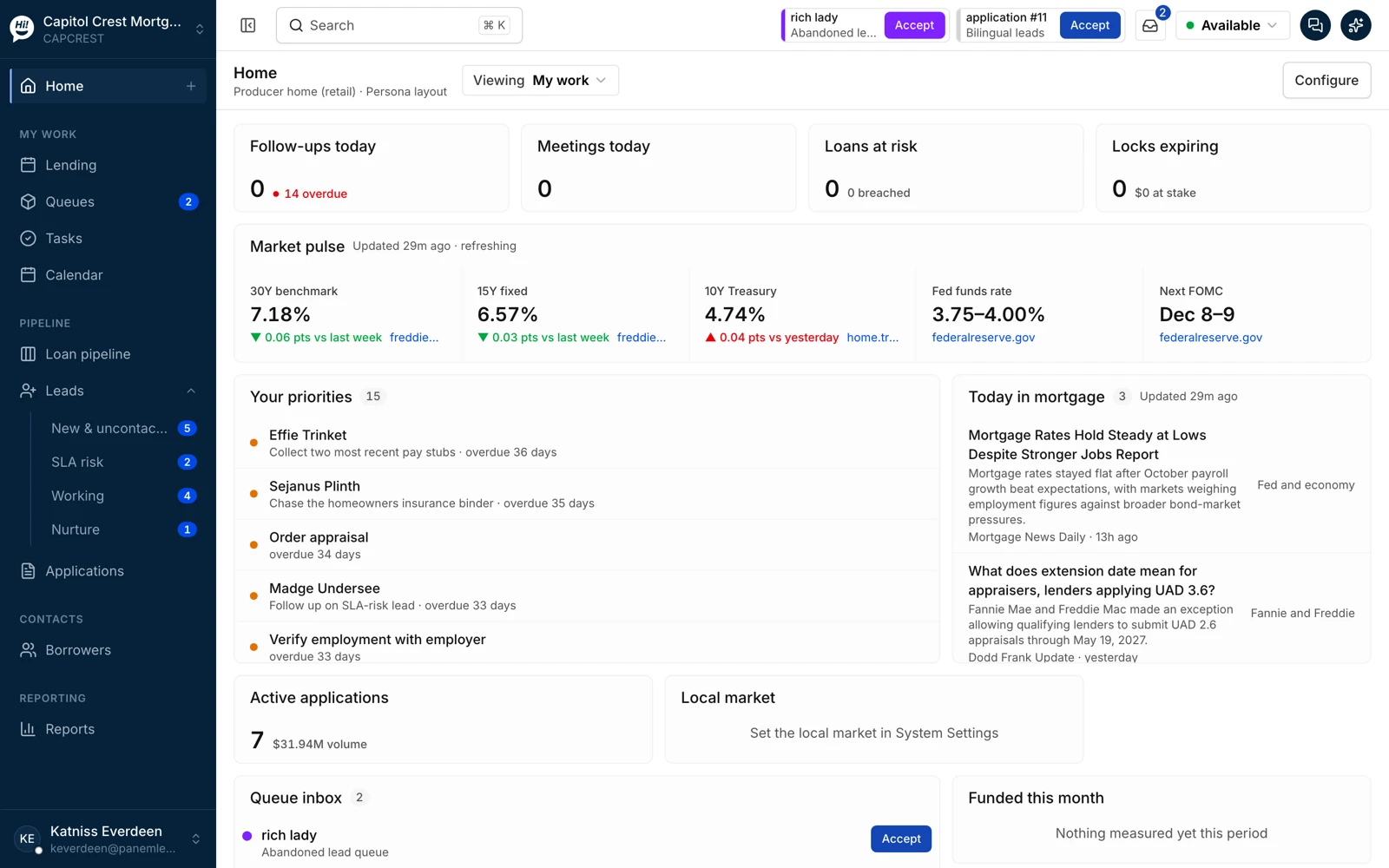
The morning briefing
Follow-ups due, meetings, loans at risk, locks expiring, the priorities for today and the market pulse for the branch. The loan officer starts here, not in an inbox.
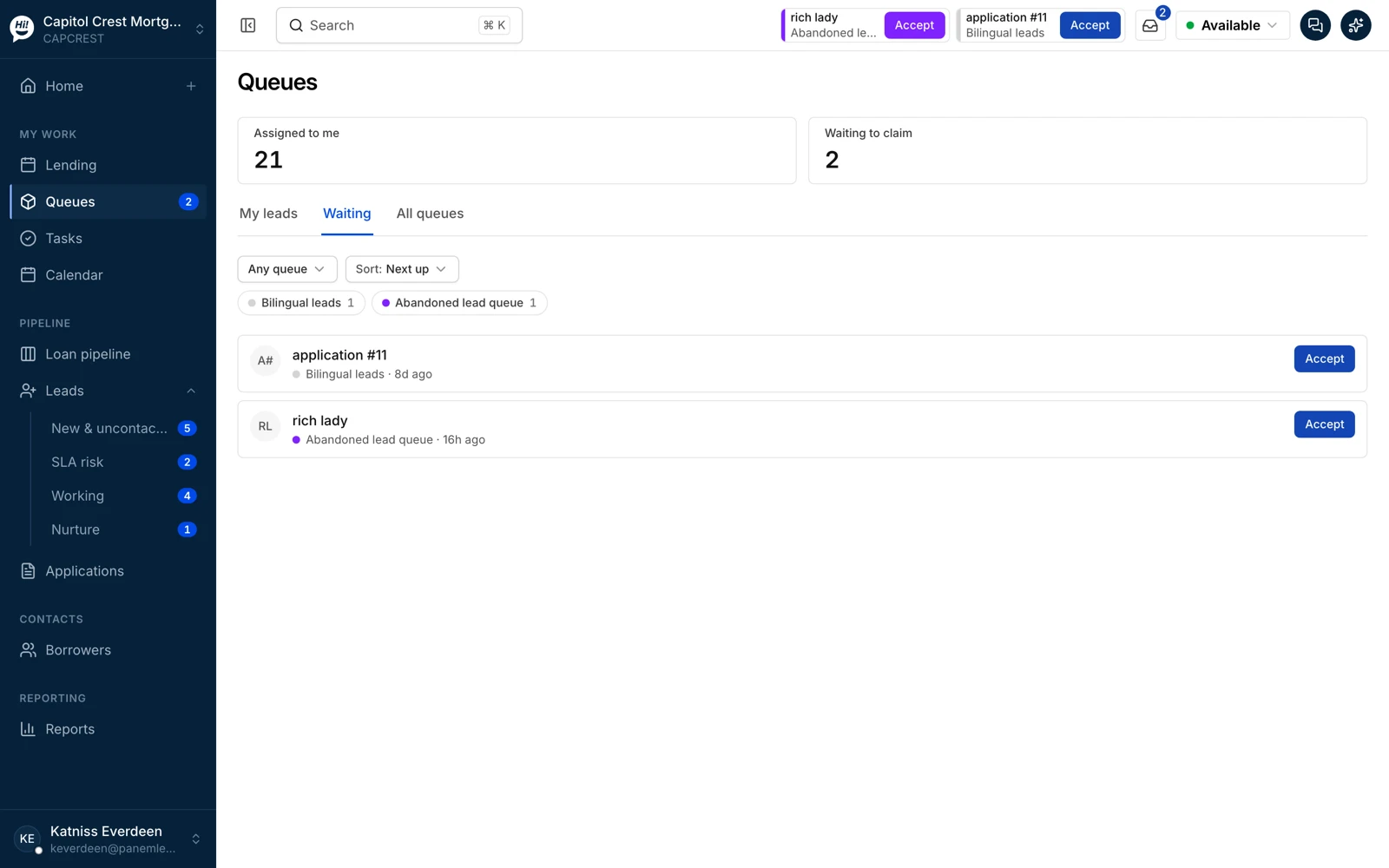
Queues
Work lists the team pulls from: new and uncontacted, SLA risk, working, nurture. Distribution rules put a Lead in a queue; a person or a workflow takes it out.
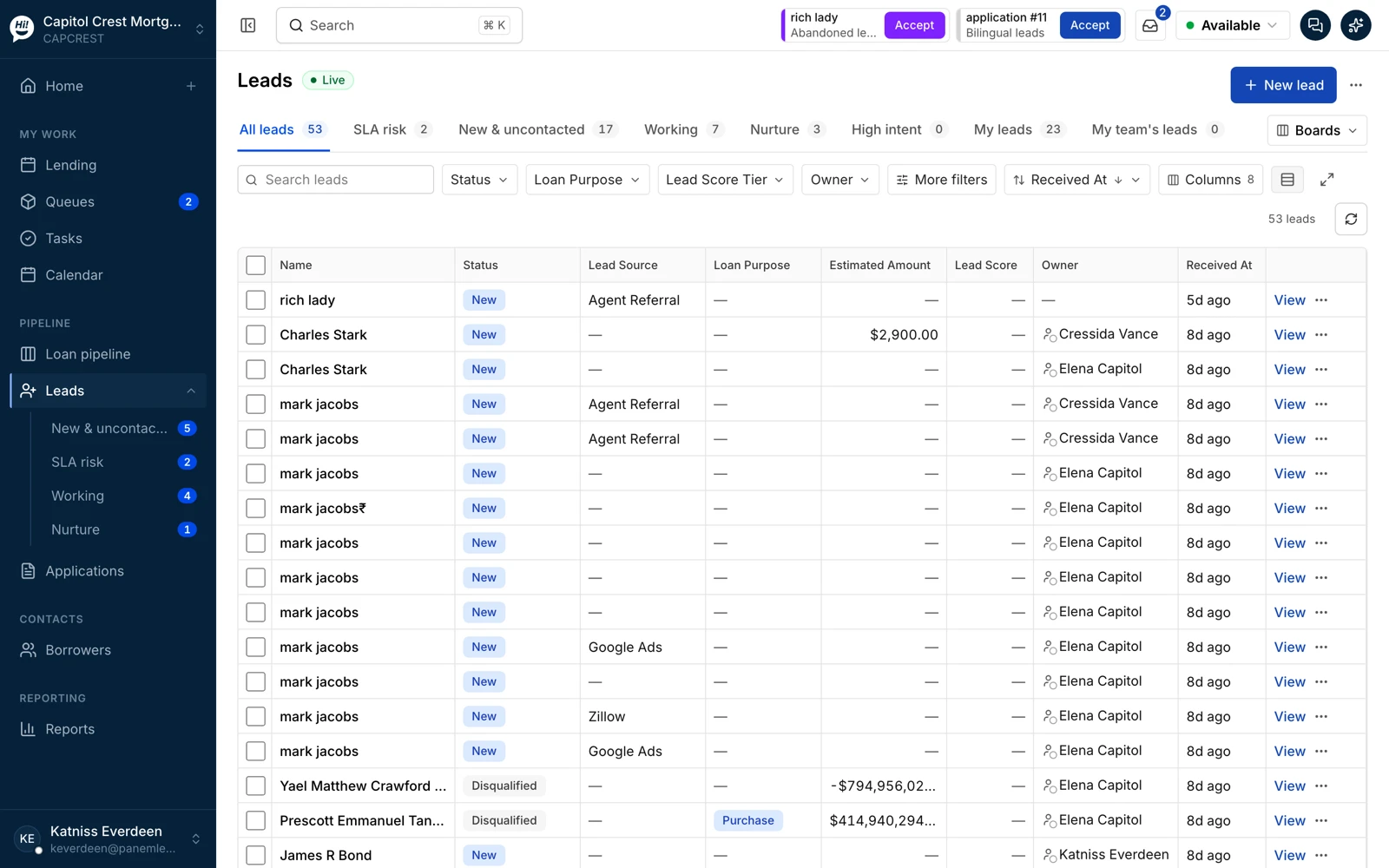
The Leads list
Every Lead with its owner, stage, source and clock. Filter by anything, save the view, open the record or text from the row.
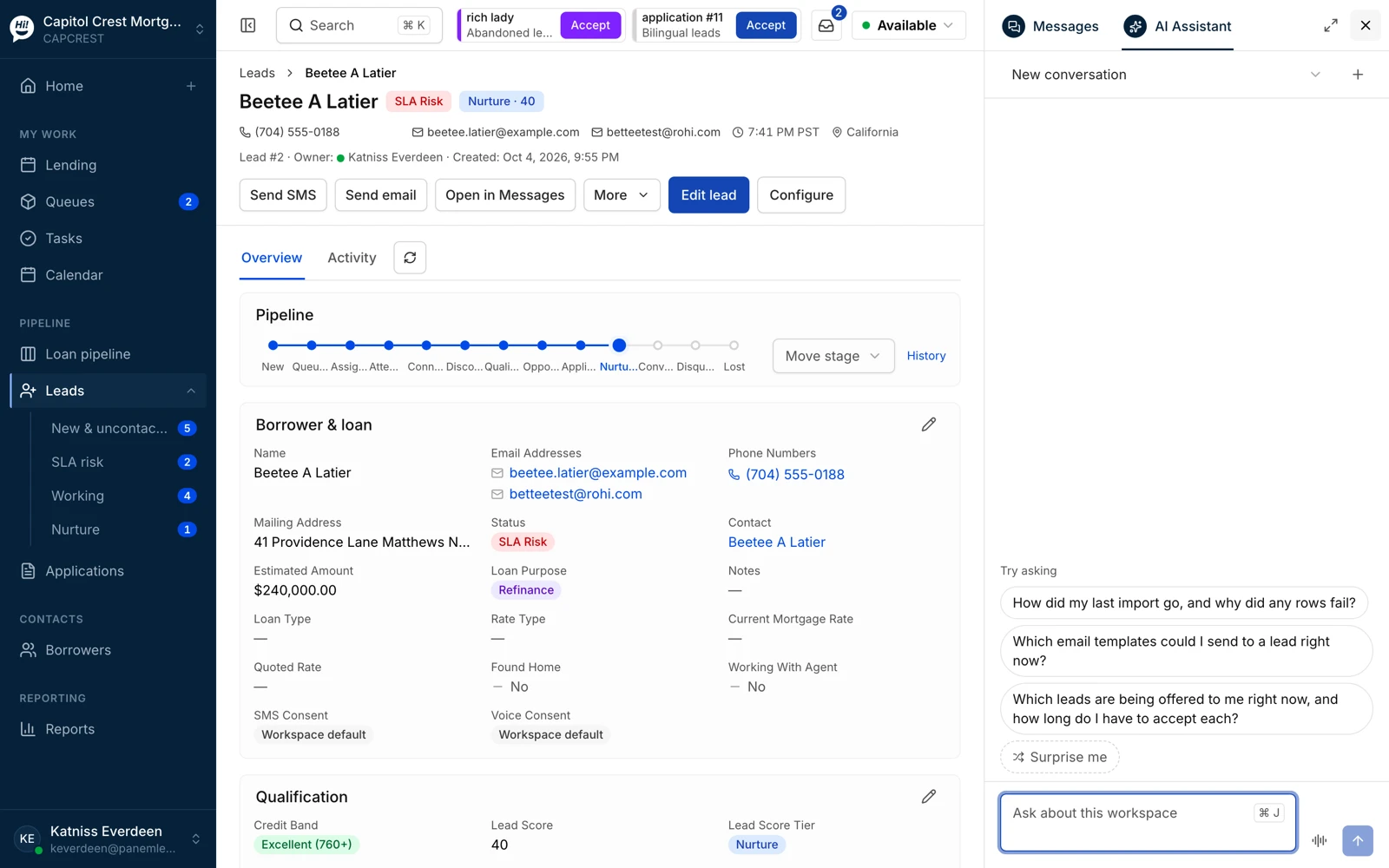
The Lead record, with the assistant
Pipeline stages across the top, borrower and loan fields, qualification, consent and the next best action. The assistant opens on the right: ask about the workspace, or ask what to follow up on first.
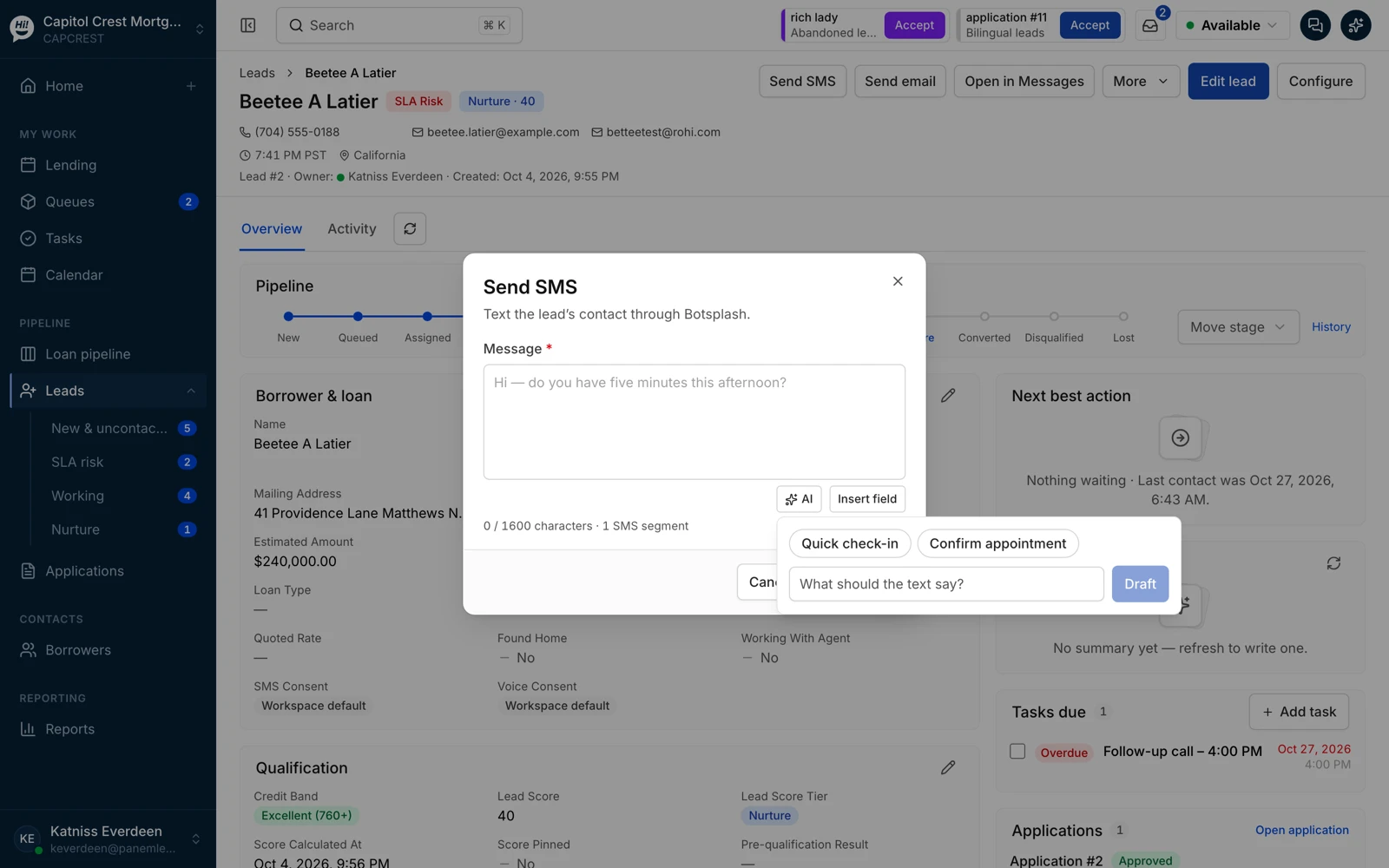
The conversation
Text from the record through Botsplash Customer Engagement. The AI drafts a quick check-in or an appointment confirmation; you edit and send. The thread lands back on the Lead.
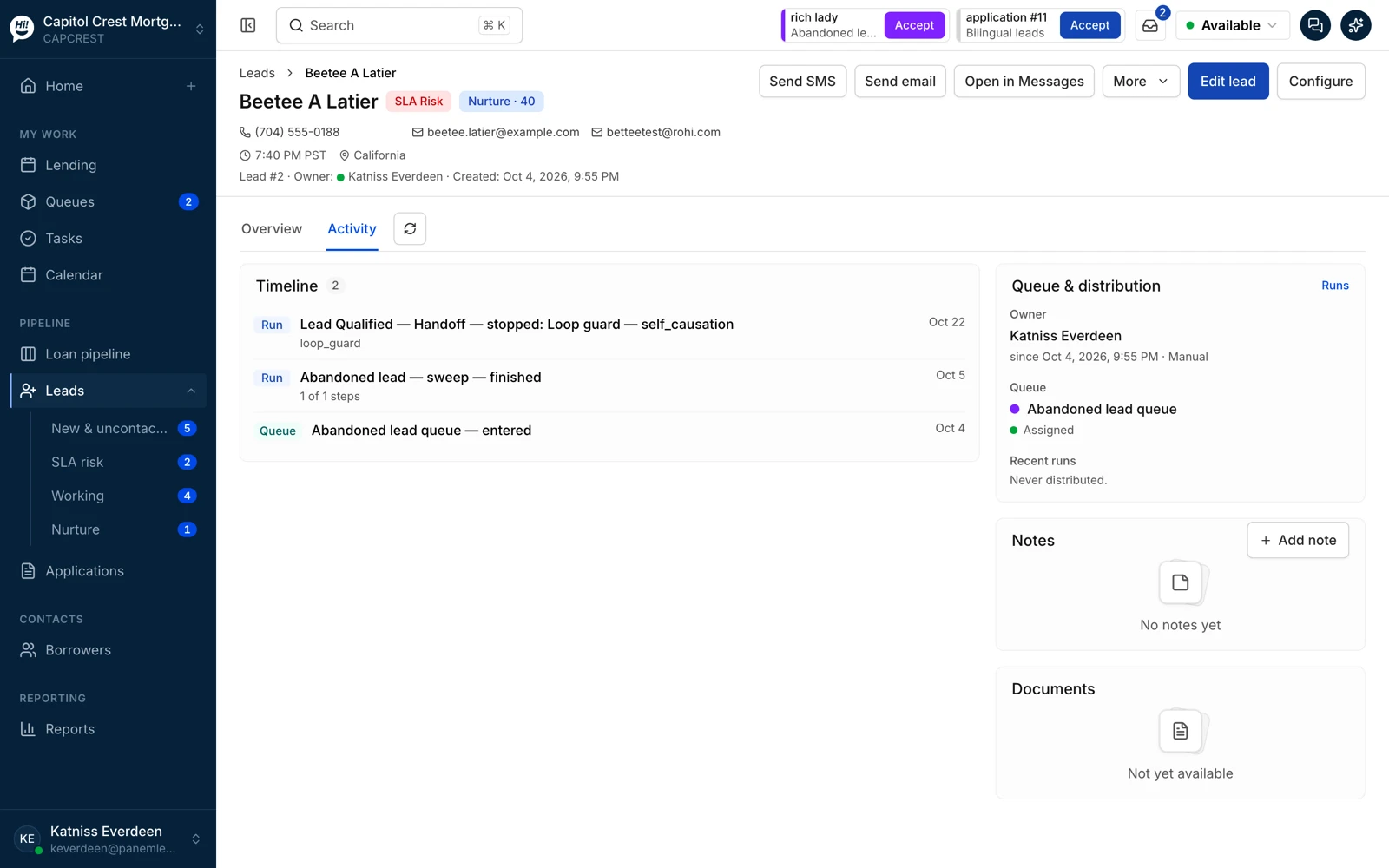
The activity record
Every action on the Lead, human or AI: assignments, stage changes, messages, workflow steps. This is what an examiner, a manager or a new owner reads.
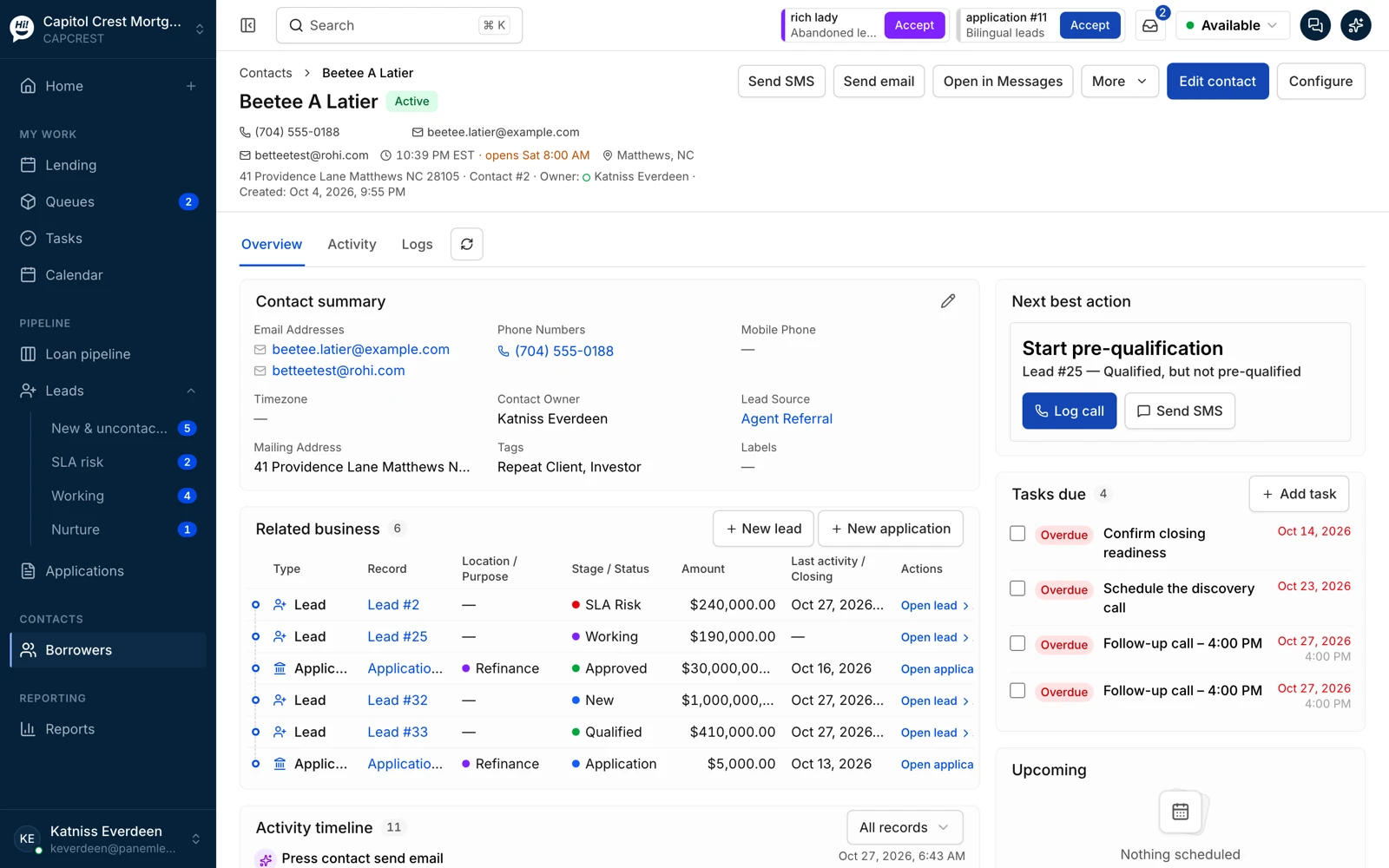
One Contact, many Leads and Applications
The person once, the business attached. Four Leads and two Applications on one borrower, with the next best action, the tasks due and the activity timeline across all of them.
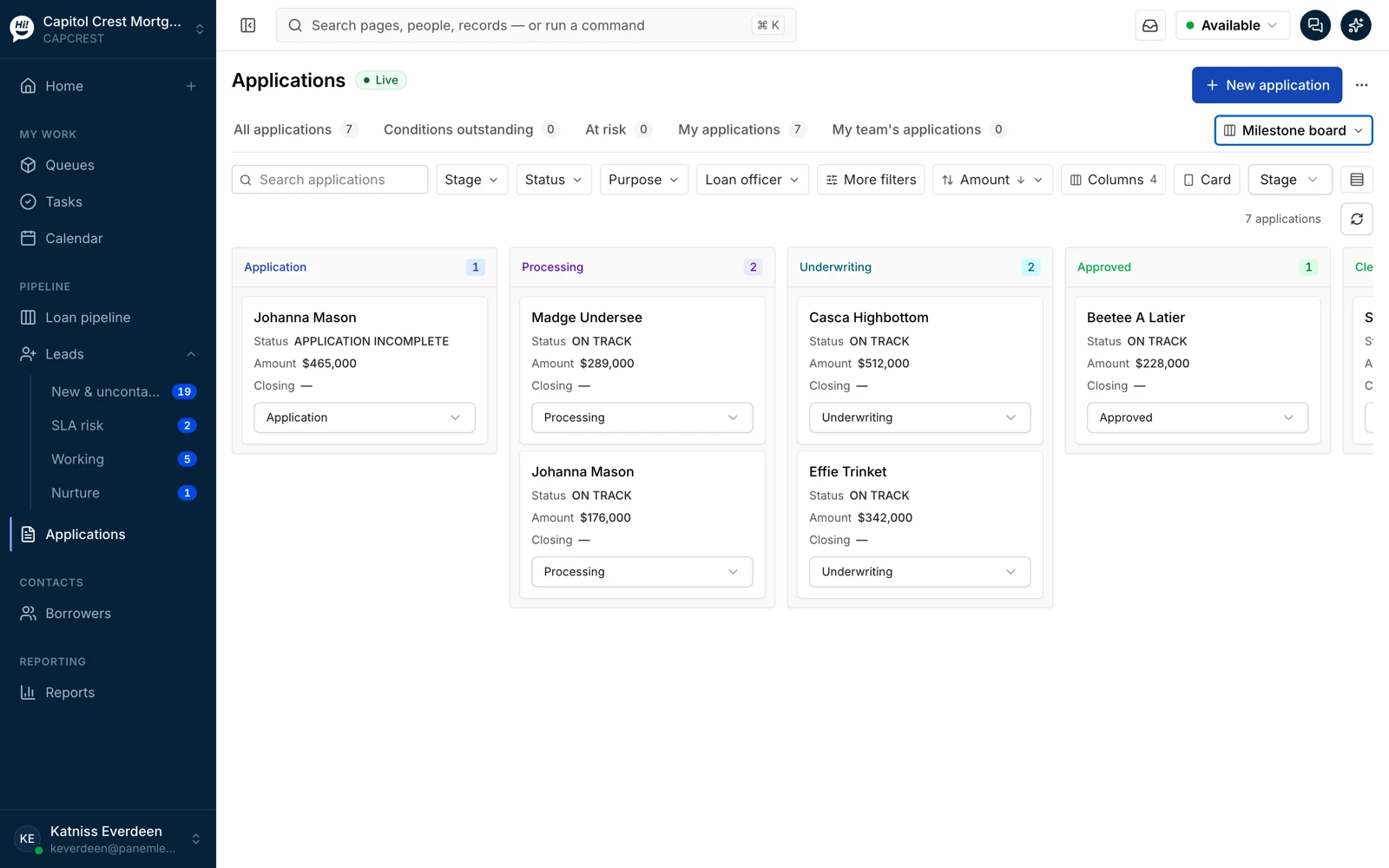
Applications by milestone
Application, processing, underwriting, approved, clear to close. The board mirrors the LOS milestones; the LOS stays authoritative for the file.
Workflows
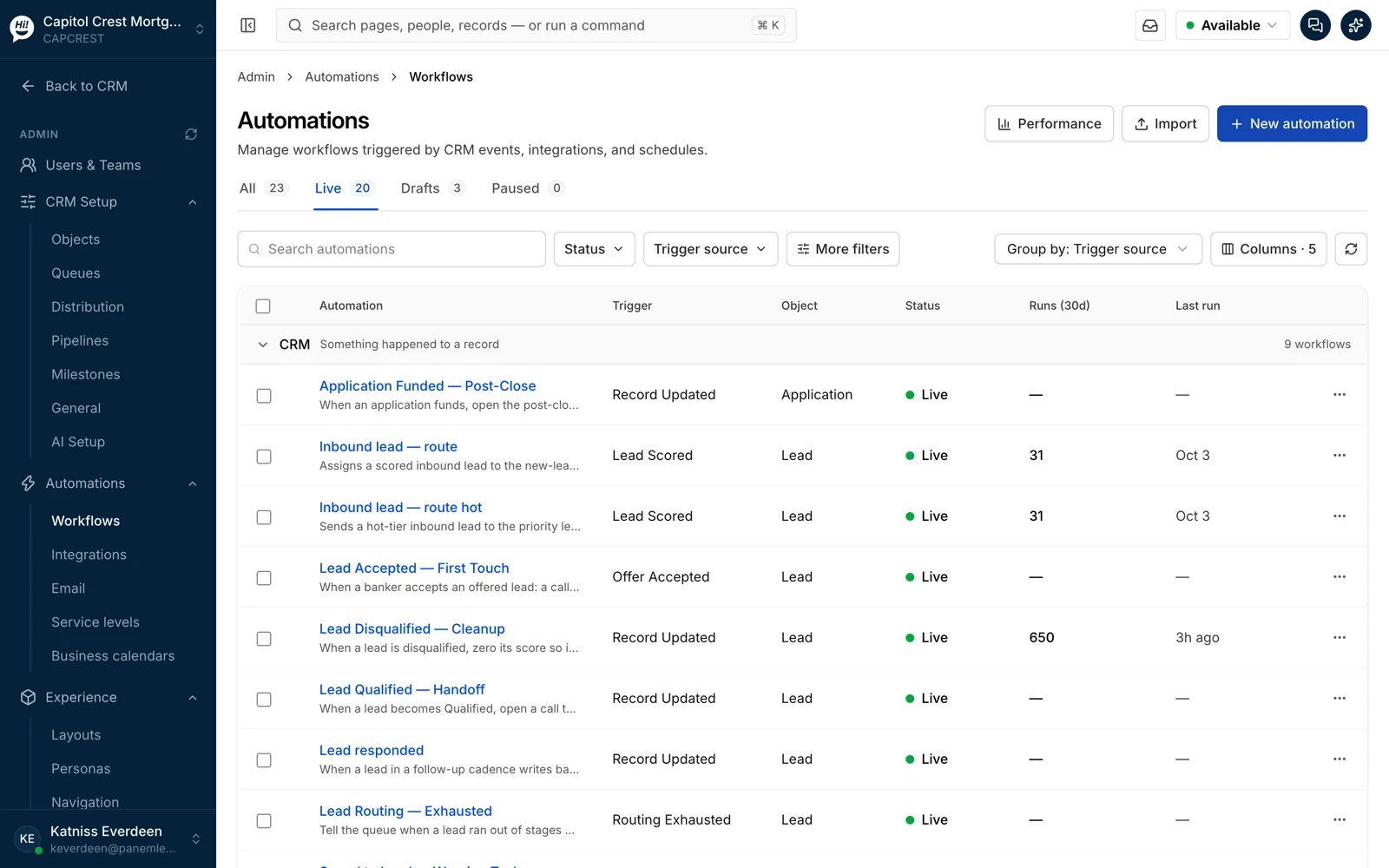
Twenty live workflows in the demo workspace, grouped by trigger: inbound Lead routing, first touch, cleanup, handoff, post-close. Runs and last run on each.
Inside a workflow
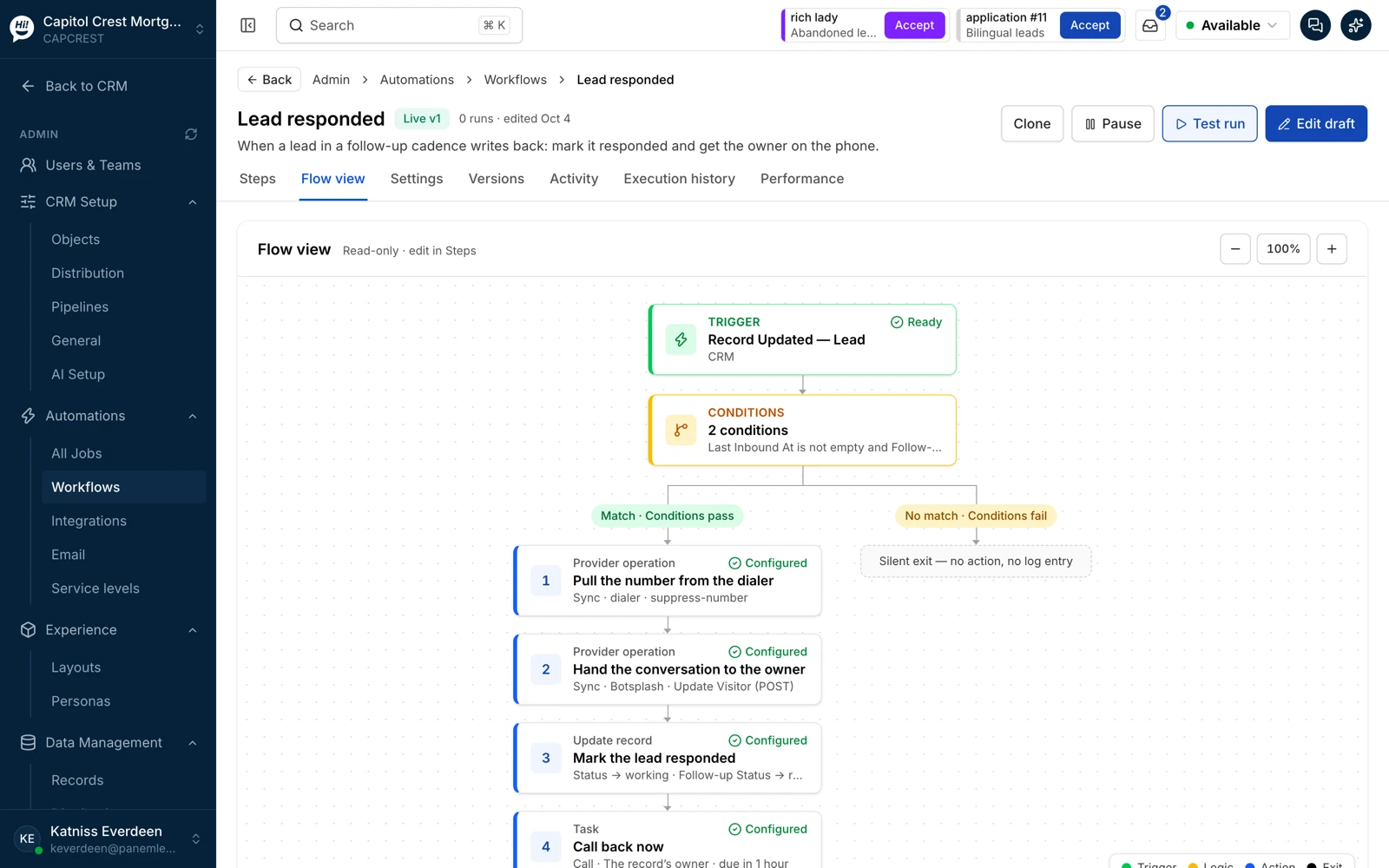
When a Lead in a follow-up cadence writes back: pull the number from the dialer, hand the conversation to the owner, mark the Lead responded, open a call-back task. The flow view draws the trigger, the conditions and both branches; the steps view is where you edit.
The executive overview
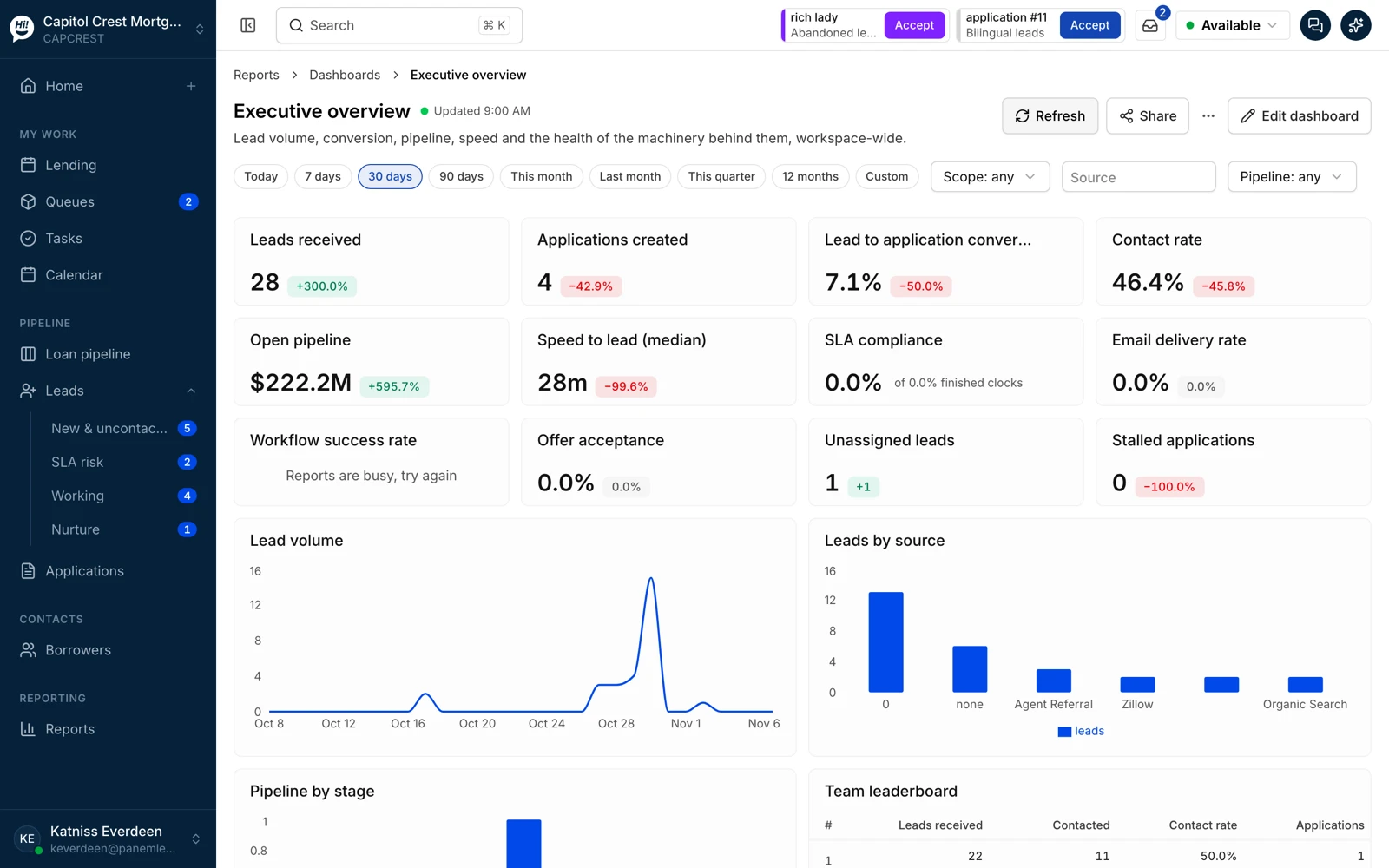
Leads received, Applications created, conversion, contact rate, open pipeline, speed to lead, SLA attainment, workflow success, unassigned Leads and stalled Applications, by period, scope, source and pipeline.
Seen enough?
Bring one workflow that hurts today and we will run it on your systems.